If you buy through a link on this page, we may earn a commission, at no extra cost to you.
There are two kinds of people in the creator economy.
People who enjoy being on camera.
And people who would rather reorganize their entire tax folder than record a 90-second talking-head video.
HeyGen exists for the second group. It is also increasingly useful for marketing teams, course creators, sales teams, internal training departments, agencies, and founders who need video but do not want to hire a camera crew every Tuesday.
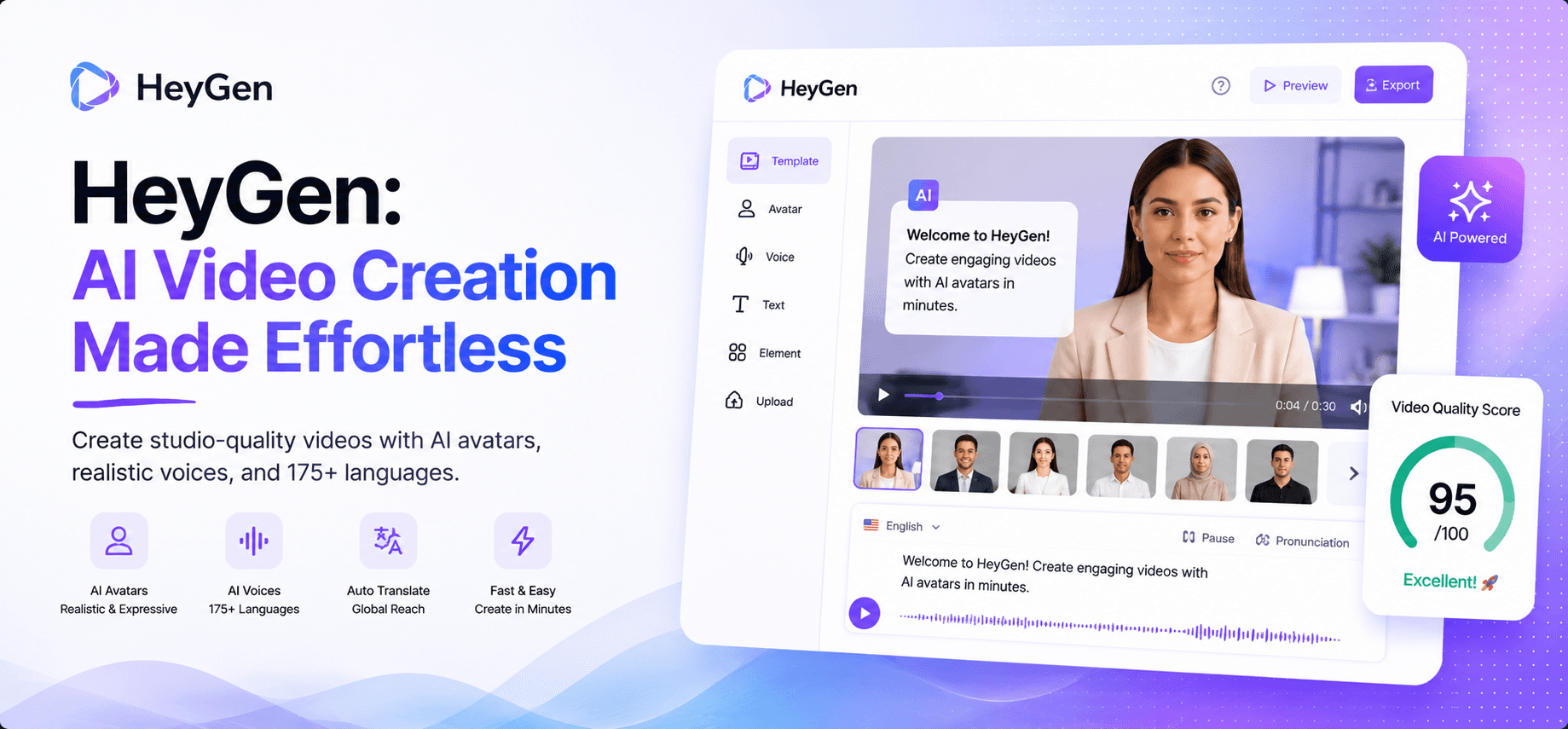
HeyGen is an AI video generation platform that turns scripts into avatar-led videos, with tools for AI avatars, custom digital twins, voice cloning, video translation, and multilingual dubbing.
This HeyGen review looks at the parts that actually matter in 2026: whether the avatars are good enough, how the pricing works, where video translation shines, what still feels artificial, and who should use HeyGen instead of Synthesia, D-ID, Colossyan, Runway, or a normal camera.
Short answer:
HeyGen is worth it if scripted video is a serious part of your workflow and you either dislike recording yourself or need multilingual video at scale. It is not a perfect replacement for a human presenter, but it is a strong replacement for the videos you were never going to record anyway.
Quick Verdict
Metric | Detail |
|---|---|
Overall rating | 4.5/5 |
Best for | Creators, marketers, educators, sales teams, training teams, agencies, and founders |
Main strength | Realistic AI avatars, custom digital twins, voice cloning, and video translation |
Main weakness | Emotional range and spontaneous human energy are still limited |
Best plan logic | Free to test, Creator for most solo creators, Pro for 4K and heavier use, Business for teams |
Bottom line | HeyGen is best for repeatable scripted videos, not cinematic storytelling |
My one-line verdict:
HeyGen is one of the best AI avatar video tools in 2026, especially if your content is scripted, repeatable, and easier to scale with an AI presenter.
What Is HeyGen?
HeyGen is an AI avatar video platform for creating professional-looking videos from text scripts.
Instead of booking a studio, setting up lights, recording yourself, editing mistakes, cleaning audio, adding captions, and then noticing your shirt collar looked weird the whole time, you can write a script, choose an avatar, pick a voice, and generate a video.
That is the core appeal.
HeyGen is built around a few main jobs:
script-to-video generation
AI avatars and stock digital twins
custom avatars or personal digital twins
AI voice and voice cloning
video translation and dubbing
lip-sync
brand kits and reusable templates
team collaboration and enterprise workflows
The best way to understand HeyGen is not "AI video toy."
It is closer to a browser-based production booth. You bring the message. HeyGen brings the presenter.
That does not mean every output feels like a real person in a documentary. But for product explainers, onboarding videos, training modules, sales content, social clips, and multilingual campaigns, it can be more than enough.
What Works Well
HeyGen works best when the video is scripted and practical.
If you need a presenter to explain a product, introduce a course module, translate an announcement, summarize a feature, or deliver a sales enablement clip, HeyGen can save a lot of production time.
The strongest features are:
AI avatars: HeyGen offers a large library of stock avatars and digital twins for presenter-led videos.
Custom digital twins: You can create a reusable version of yourself or a brand presenter for future videos.
Voice cloning: Useful when you want a consistent voice without recording every script.
Video translation: One of HeyGen's biggest strengths, especially for creators and teams publishing in multiple languages.
Lip-sync: Makes translated videos feel more natural than basic dubbing.
Script-to-video workflow: Good for fast explainers, tutorials, training content, and product updates.
Templates and brand assets: Helpful when you need repeatable output that looks consistent.
Business features: Higher plans support collaboration, SSO, SCORM export, LMS integrations, and team workflows.
The main benefit is not that HeyGen makes video "effortless." That word gets abused by marketing pages until it needs a nap.
The benefit is that HeyGen removes the most annoying parts of repeatable video production: camera setup, presenter scheduling, retakes, basic editing, and localization.
That matters if your team says "we should make a video for this" and then everyone quietly avoids eye contact.
What to Watch
HeyGen is impressive, but it is not magic.
The biggest limitation is emotional range. AI avatars are much better than they used to be, but they still struggle with deep emotion, comedy, chaotic human warmth, and subtle timing. If your video depends on trust, vulnerability, founder presence, or personality, a real human is still better.
The second limitation is script quality. HeyGen can make a weak script look polished, but it cannot make the idea good by itself. A boring script delivered by an AI avatar is still boring. Sometimes it is more boring because the production looks too clean for the message.
Watch for:
stiff delivery in emotional or high-trust videos
pronunciation issues with names, acronyms, and technical terms
translation that needs local review
credit usage if you generate a lot of long videos
overusing avatars where a quick screen recording would feel more honest
My rule is simple:
Use HeyGen when the viewer mainly needs information. Use a real person when the viewer needs to feel something.
How HeyGen Performs in a Real Workflow
HeyGen performs best when you treat it like a production assistant, not a creative director.
Here is the practical workflow:
Step | What You Do | What HeyGen Handles | What You Still Check |
|---|---|---|---|
Script | Write or paste a clear script | Can help turn it into video scenes | Accuracy, hook, tone, pacing |
Avatar | Choose stock avatar or digital twin | Presenter rendering and facial movement | Brand fit and credibility |
Voice | Pick AI voice or voice clone | Narration and lip-sync | Pronunciation and emphasis |
Translation | Choose target languages | Dubbing, translation, and lip-sync | Local meaning and nuance |
Export | Render video | Output and formatting | Captions, CTA, final polish |
This workflow is strongest for:
product explainers
affiliate review intros
SaaS feature updates
employee onboarding
course lessons
internal announcements
sales enablement videos
multilingual social content
customer education clips
It is weaker for:
emotional founder stories
documentary content
comedy
interviews
cinematic ads
videos where human chemistry matters
That is not a failure. It is just the lane.
HeyGen is excellent when the job is "turn this script into a clean presenter-led video." It is less useful when the job is "capture a real human moment."
HeyGen Pricing in 2026
Pricing checked: August 5, 2026.
HeyGen's official pricing page currently lists Free, Creator, Pro, Business, and Enterprise options. Pricing can change, and checkout may vary by billing cycle or region, so confirm before buying.
Plan | Pricing Signal | Best For |
|---|---|---|
Free | $0/month | Testing HeyGen with limited videos |
Creator | $29/month monthly, or $24/month annually according to HeyGen's pricing FAQ | Solo creators who want watermark-free videos and voice cloning |
Pro | $49/month monthly | Advanced individuals who need 4K export, more credits, and advanced AI models |
Business | $149/month plus $20/seat/month | Teams that need collaboration, SSO, SCORM, LMS, and integrations |
Enterprise | Contact sales | Larger organizations needing security, governance, support, and custom terms |
The Free plan is useful for testing. HeyGen says it includes 3 videos per month, videos up to 1 minute, access to Avatar IV and Video Agent, standard processing, 500+ stock digital twins, 1 custom digital twin, and 30+ languages.
Creator is the plan most solo creators should look at first. It includes 600 credits, videos up to 30 minutes, 1080p export, extended Avatar IV generation, fast processing, unlimited Photo Avatars, watermark removal, voice cloning, 175+ languages and dialects, and credit rollovers.
Pro is for creators who need more quality and capacity. It includes 1,000 credits, 4K export, faster processing, watermark removal, customizable usage, translation script editing/proofreading, and access to advanced AI models.
Business is where HeyGen becomes a team platform. It includes 1,500 credits, videos up to 60 minutes, 4K export, faster processing, 5 custom digital twins, SAML/SSO, centralized billing, workspace collaboration, draft commenting, SCORM export, LMS integrations, and integrations with tools like n8n, Make, HubSpot, and Zapier.
My pricing advice:
Start with Free if you have never made an AI avatar video before. Upgrade to Creator if you can make at least a few useful videos every month. Go Pro if 4K, advanced models, or extra credits matter. Choose Business only when collaboration, training workflows, or company controls are genuinely needed.
HeyGen vs Alternatives
HeyGen is best compared with other avatar tools and adjacent AI video tools.
Tool | Best For | Where It Beats HeyGen | Where HeyGen Wins |
|---|---|---|---|
Enterprise training and internal video | Strong enterprise training and governance workflows | HeyGen feels stronger for creator-facing avatars and digital twins | |
D-ID | Simple talking-photo videos | Fast photo-to-video workflows | HeyGen has broader production, translation, and team features |
Colossyan | Learning and training videos | Training-focused workflows | HeyGen has stronger creator and marketing appeal |
Runway | Cinematic AI video generation | Creative non-avatar AI video | HeyGen is better for presenter-led script videos |
Editing human-recorded video | Transcript editing and podcast workflows | HeyGen creates the presenter video itself |
The decision is simple:
Use HeyGen if you need an AI presenter.
Use Runway if you need AI-generated scenes.
Use Descript if you are editing real recorded video.
Use Synthesia if your company is building structured training content at enterprise scale.
Who Should Use HeyGen?
Use HeyGen if:
You want to publish videos but hate being on camera.
You create product explainers, tutorials, or affiliate review content.
You need to translate videos into multiple languages.
You run training, onboarding, or sales enablement content.
You want a custom digital twin for repeatable video production.
You can write strong scripts and need video output faster.
Skip HeyGen if:
Your content depends on emotion, personality, or live human trust.
You only need one or two videos a year.
You need cinematic AI visuals instead of a presenter.
You already record high-quality video comfortably.
You are on a tight budget and do not need translation or voice cloning.
This is why HeyGen is such a good fit for affiliate creators, educators, software marketers, agencies, and learning teams. Their videos are often scripted, repeatable, and information-heavy.
It is less ideal for creators whose advantage is personal energy. If people watch because they like your natural timing, expressions, stories, and reactions, do not replace yourself too quickly.
Is HeyGen Worth It?
HeyGen is worth it if it helps you produce videos you would otherwise delay, avoid, or outsource.
That is the real ROI.
If you already have a camera setup, a confident presenter, a video editor, and a repeatable production process, HeyGen is useful but not life-changing.
But if every video idea currently dies because someone has to appear on camera, HeyGen changes the equation.
It turns video from a production event into a content workflow.
HeyGen can also be worth it when translation is part of the business case. Re-recording a video in multiple languages is slow and expensive. Translating, dubbing, and lip-syncing the same source video can be much faster.
The tool is easiest to justify when it replaces:
camera setup
presenter recording time
basic narration work
simple editing
localization costs
repeated training videos
sales or support explainers
If it only replaces one occasional video, stay cautious. If it turns video into something your team can publish every week, the subscription starts making much more sense.
Final Verdict
HeyGen is one of the easiest AI video tools to recommend because the pain is obvious.
Most people know they should make more video.
Most people also do not want to record more video.
HeyGen sits right in that gap.
It will not replace a charismatic human presenter at their best. It will not give you documentary emotion or spontaneous comedy. But it can replace many of the boring, repeatable, scripted videos that never get made because recording feels like too much work.
My recommendation: start with the free plan and make one real video, not a random test. Use an actual script you would publish. If the result feels usable, Creator is the plan most solo creators should consider first. Teams should look at Business when collaboration, training, integrations, or governance become important.
For creators and teams who need presenter-led video at scale, HeyGen is absolutely worth testing in 2026.
Curious to see how it performs?
Try
Heygen
Now
GOT ANY QUESTIONS LEFT?
Is HeyGen worth it in 2026?
How much does HeyGen cost?
Is HeyGen better than Synthesia?
Can HeyGen translate videos?


