
If you buy through a link on this page, we may earn a commission, at no extra cost to you.
AI video generators are having their "everyone is suddenly a film director" moment.
You type one prompt, wait a few minutes, and out comes a moody cinematic clip of a woman standing in neon rain, a product ad with a presenter who does not exist, or a full YouTube-style video with subtitles and stock footage.
Lovely.
Also mildly dangerous.
Because the homepage demo is never the problem. The homepage demo always looks like it was supervised by three creative directors, a lighting crew, and a small committee of angels. The real question is what happens when you use the tool like a normal person with one prompt, limited credits, and the emotional stability of someone watching a progress bar freeze at 96%.
So this comparison looks at three popular AI video generators:
Higgsfield AI
Jogg AI
InVideo AI
The inspiration post used the same cinematic prompt across all three and compared output quality, generation time, cost, and pricing. I am keeping that buyer-friendly structure, but translating it into the AIwithKay version of the question:
Which one should you actually pay for?
Not which one has the flashiest demo.
Not which one has the most dramatic launch video.
Not which one can produce one stunning clip if Jupiter is aligned with the prompt box.
Which one is worth your money for real creator work?
Why You Can Trust This Review
The side-by-side output quality and generation-time numbers in this piece come from one specific reference test (linked in Sources) that ran the same cinematic prompt across all three tools, we're citing it rather than re-running it ourselves, and we say so wherever those numbers show up. Every price, plan name, and credit rule, though, was checked directly on Higgsfield, Jogg, and InVideo's own pricing pages on the day of writing, not copied from the reference test or an old screenshot.
Quick Verdict
If you want the short answer, here it is.
Tool | Best For | Main Strength | Main Weakness | Worth It? |
|---|---|---|---|---|
Higgsfield AI | Cinematic AI clips, realism, camera control | Strong realism, model variety, Cinema Studio, viral presets | Credit math and start-frame workflows can be annoying | Yes, for cinematic creators |
Jogg AI | Fast avatar videos, product ads, simple social content | Easy workflow, lifelike avatars, product video tools | Less post-generation editing control | Yes, for marketers and beginners |
InVideo AI | Complete video workflows, editing, ads, social videos | Editing control, stock assets, timeline tools, many models | Slower and credit rules need attention | Best overall for most creators |
My overall pick: InVideo AI.
Not because it always creates the prettiest raw clip. Higgsfield can look more cinematic. Jogg can feel faster and simpler.
InVideo wins because it gives you more after the generation finishes.
That matters.
AI video generation is not just "make clip." It is "make clip, fix clip, add audio, change subtitle, adjust scene, export the thing, and do not cry into your keyboard." InVideo is strongest across that whole workflow.
But the winner depends heavily on what kind of creator you are.
So let us do this properly.
The Test Setup
The inspiration test used one prompt across all three tools: a cinematic 10-second video of a woman standing alone on a rainy neon city street at night, with realistic lighting, natural skin texture, shallow depth of field, and a slow push-in toward her face.
That is a good prompt for testing AI video because it asks for several hard things at once:
rain
facial consistency
camera movement
wet reflections
realistic skin texture
clothing and hair movement
cinematic lighting
prompt adherence
In other words, it asks the model to juggle knives while pretending to be a cinematographer.
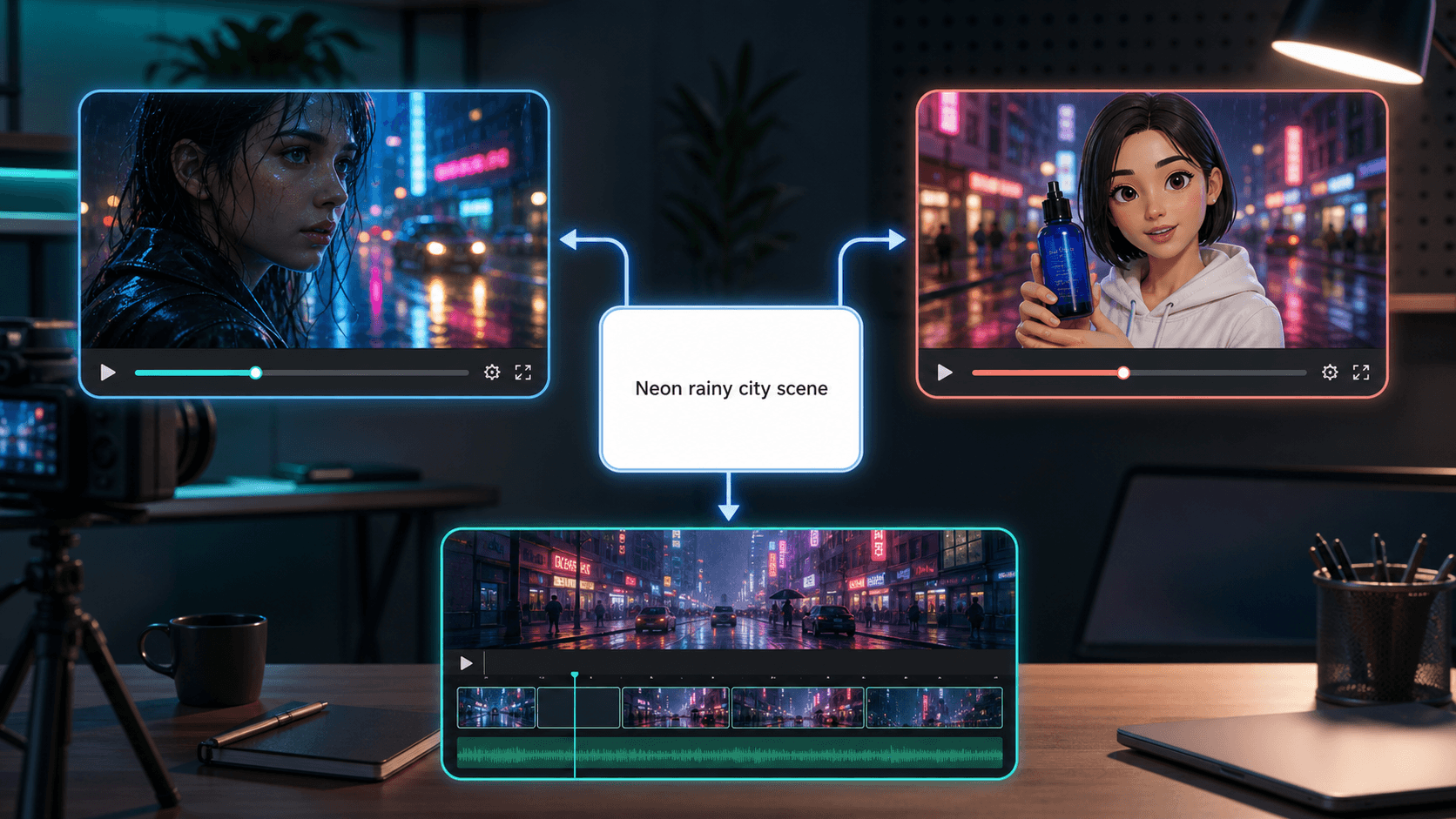
The same "neon rainy city scene" prompt, fed into all three tools to compare output style rather than judging each on a different test.
For this buyer guide, I am judging each tool by the things that matter when you are deciding whether to pay:
output quality
prompt accuracy
speed
editing control
ease of use
pricing and credit friction
who the tool is actually for
One important note: generation times and per-video costs can change based on plan, queue, model, resolution, billing toggle, and whatever mood the server room is in that day. Treat exact timings as a snapshot, not a law of nature.
1. Higgsfield AI: Best for Cinematic Realism
Higgsfield is the most "film person" tool in this comparison.
Its public site positions it as an AI-native creative suite, not just a text-to-video generator. The homepage points to image, video, audio, Supercomputer, MCP and CLI tools, Cinema Studio, Marketing Studio, Shorts Studio, Explainer, Originals, Canvas, AI Influencer, and Apps.
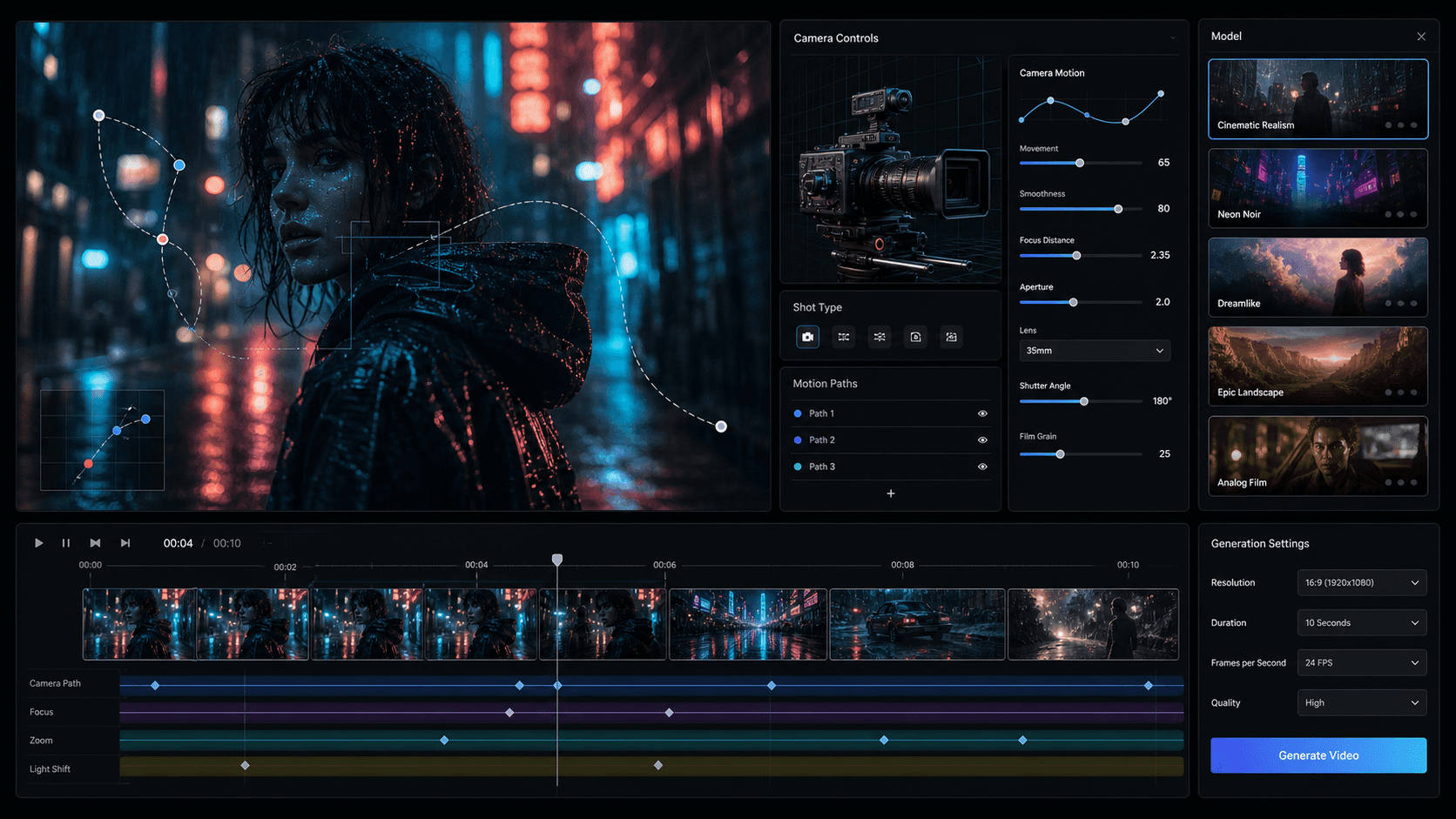
An illustrative look at Higgsfield's camera-control layer: focal length, aperture, motion paths, and named cinematic style presets.
That is a lot.
Classic AI tool behavior: start with one feature, then slowly become a shopping mall.
But Higgsfield's video pitch is genuinely interesting. It gives creators access to multiple models and a set of cinematic controls on top. Its site highlights tools like Seedance 2.0, Cinema Studio 3.5, viral presets, Explainer, and AI Influencer.
Where Higgsfield shines:
cinematic close-ups
emotional facial expressions
character consistency
stylized camera movement
visual effects presets
model variety
image-to-video workflows
The reference test found Higgsfield especially strong on realism and character consistency. The face stayed consistent, emotions looked good, and the output had the kind of expensive-looking polish creators want from AI video.
That tracks with Higgsfield's strength. It is not trying to be a generic video editor first. It is trying to give you film-like output and creative control.
But there is a catch.
Higgsfield can require a start frame for certain workflows. That means you may need to upload or create an image first, then animate from that frame.
For serious creators, that is not a problem. It can actually help. A good start frame gives the model a stronger visual anchor. If you care about character consistency, wardrobe, lighting, and composition, a start frame can save you from the "same person became her cousin halfway through the clip" problem.
For casual users, it is friction.
Jogg and InVideo feel more direct if you just want to paste a prompt and move on with your life.
Higgsfield also has the usual AI video credit anxiety. The official pricing page is live, but much of the plan detail is rendered dynamically. In the most recent local check for AIwithKay's full Higgsfield AI review, plans displayed as Starter, Plus, and Ultra, with annual prices around $19, $47, and $99 per month. Pricing changes quickly, so check the live page before buying.
The important thing is not only the monthly price. It is how many real generations you can do before you start behaving like every prompt is a tax form.
Because that is the credit problem with AI video.
You do not know the final clip is bad until after the credits are gone.
Beautiful system. Very relaxing. Definitely invented by people who enjoy suspense.
Higgsfield is worth it if you want cinematic output and are willing to learn the workflow.
It is not the best pick if you want quick product ads, talking avatars, or a complete editor around the clip.
2. Jogg AI: Best for Fast Avatar and Product Videos
Jogg AI is the easiest tool to understand.
Its homepage calls it an AI video generator with lifelike AI avatars. It focuses on fast video creation, natural-looking avatars, product ads, URL-to-video, talking photos, podcast videos, video translation, custom avatars, and avatar-based marketing workflows.
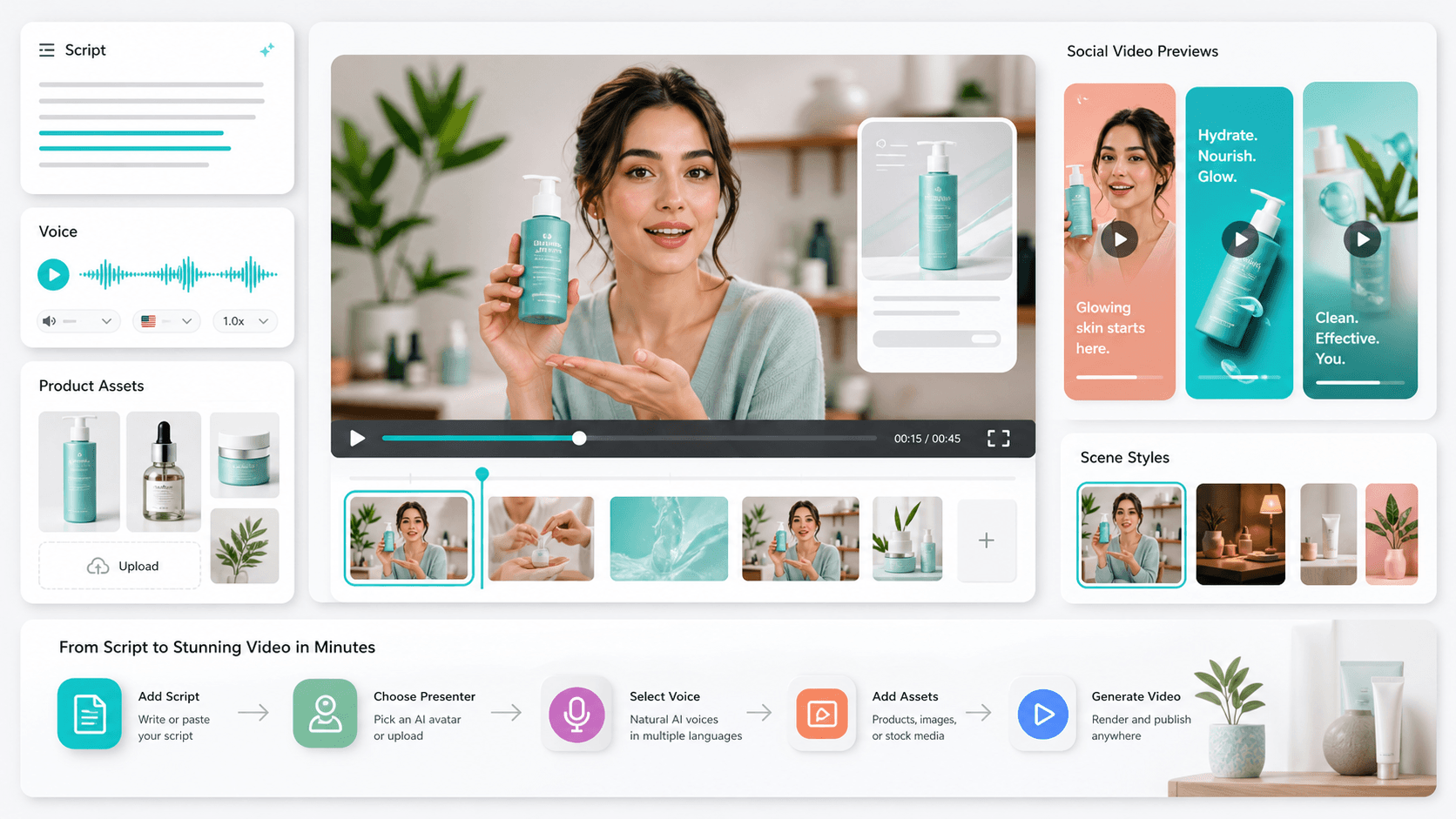
An illustrative look at Jogg's product-ad workflow: script, voice, product assets, and ready-made scene styles, built for speed.
This is not pretending to be Hollywood.
It is more like: "Give us a product, a script, or a URL, and we will turn it into something you can post."
That is useful.
Especially for:
ecommerce brands
agencies
social media managers
course creators
product marketers
founders who need videos but do not want to appear on camera
Jogg's official site says it can create avatar videos, talking photos, idea-to-video outputs, podcast videos, translators, product photo shoots, product video shoots, and product avatars. The pricing page also shows a free plan, paid Starter/Creator/Team tiers, credits, video length limits, custom avatar limits, access to all AI tools on paid tiers, and watermark removal from Starter upward.
In the inspiration test, Jogg was the fastest of the three, finishing the sample video in 3 minutes and 23 seconds. It also did well on prompt adherence and simplicity.
That is Jogg's appeal.
The workflow is not trying to impress a film professor. It is trying to get you from idea to video without requiring a second monitor and a calming playlist.
Where Jogg shines:
quick text-to-video
avatar explainers
product ads
talking photos
social content
simple creator workflows
low-friction generation
Its paid plans are credit-based. At the time of research, the pricing page displayed a free plan with 3 credits, plus Starter, Creator, Team, and Enterprise tiers. The page also showed sale/yearly billing toggles, so you should verify the final price on checkout rather than memorizing a single number from a blog post.
This is not a dodge. It is survival.
AI pricing pages now change more often than coffee prices at an airport.
Jogg's main weakness is editing depth.
If the generated video is almost right, Jogg can be great. If it needs deeper timeline editing, music changes, subtitle control, scene-by-scene rewriting, or structured post-production, InVideo starts to look stronger.
So Jogg is worth it if your workflow is:
Create video fast.
Use an avatar or product asset.
Make light edits.
Publish.
It is weaker if your workflow is:
Generate clip.
Rewrite scene three.
Swap the music.
Fix captions.
Change the product shot.
Adjust timing.
Export ten platform versions.
Question your career choices.
For that, Jogg is not bad. It is just not the most complete.
3. InVideo AI: Best Overall Workflow
InVideo AI is the most mature workflow tool in this comparison.
Its current site is built around "Agent One" and positions InVideo as an AI video platform for serious creatives. It includes AI video generation, AI image generation, Sora 2, Veo 3.1, AI clip generation, AI movie making, AI video editing, avatars, product clone, voice cloning, video translation, subtitles, and classic Studio editing tools.
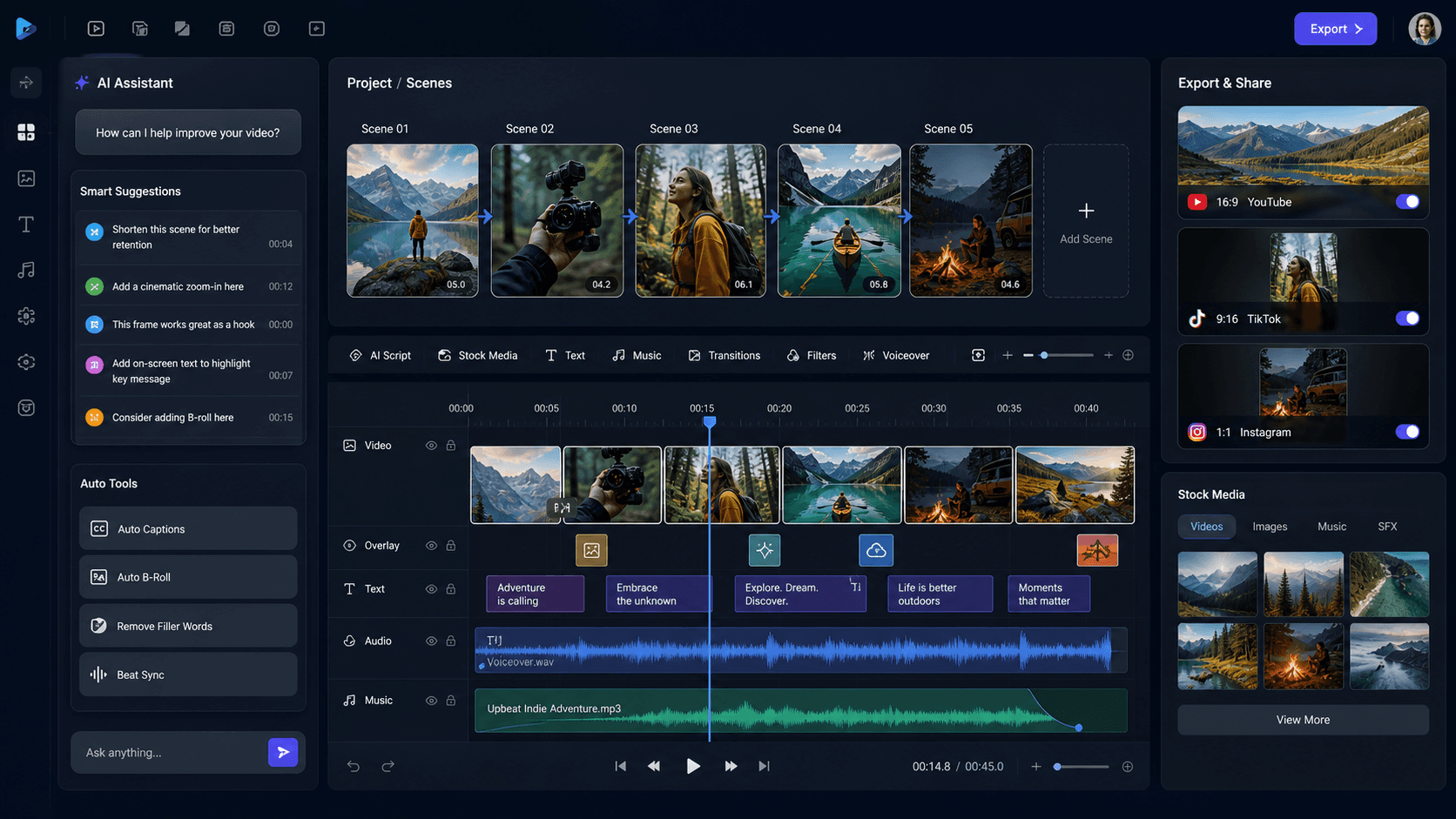
An illustrative look at InVideo's editing layer: a scene timeline, AI Assistant suggestions, and one-click exports for YouTube, TikTok, and Instagram.
That is the big difference.
InVideo is not only about the first generation.
It is about the whole production loop.
Its site talks about long-term project context, editing multiple shots in one go, storyboarding, script writing, a timeline editor, multiplayer collaboration, custom agents, stock providers, and access to 200+ image, video, audio, and music models including Seedance 2.0, Veo 3.1, Kling 3.0, Nano Banana Pro, and ElevenLabs music.
That makes InVideo feel less like a slot machine and more like a production workspace.
Still a very expensive slot machine if you do not watch credits. But progress.
In the inspiration test, InVideo took longer than Jogg and Higgsfield. The reported generation time was 8 minutes and 35 seconds, compared with just over 3 minutes for the other two.
So if speed is your only metric, InVideo loses.
But speed is not the only metric.
InVideo's advantage is that you can keep working after the first result. The reference test noted that InVideo added music and rain sound, kept the character consistent, and allowed edits to subtitles, music, clothing color, and other elements.
That editing layer is the reason I would pick InVideo for most creators.
Because the first AI video is rarely perfect.
Sometimes the face is right but the camera move is wrong.
Sometimes the mood is right but the sound is weird.
Sometimes the tool gives you a dramatic masterpiece and then adds a subtitle that looks like it escaped from a tax document.
If you can edit inside the same platform, you save time.
Where InVideo shines:
social videos
ads
YouTube-style content
stock-assisted videos
team workflows
timeline editing
prompt-based revisions
subtitles and music
multi-shot projects
The pricing page says all paid plans include access to 200+ models and top stock providers, while credits are used for video creation, generative models, and other features. It also says model and agent prices can change, credit costs may be updated, on-demand top-ups are available, and unused credits do not roll over.
That last point is important.
Unused credits not rolling over is not a tiny footnote. It changes how you should buy.
If you are not publishing regularly, a higher plan can become a monthly donation to the unused-credit foundation. Very noble. Financially silly.
InVideo is worth it if you make videos regularly and need editing control after generation.
It is overkill if you only want occasional cinematic clips.
Quality: Who Produced the Best Output?
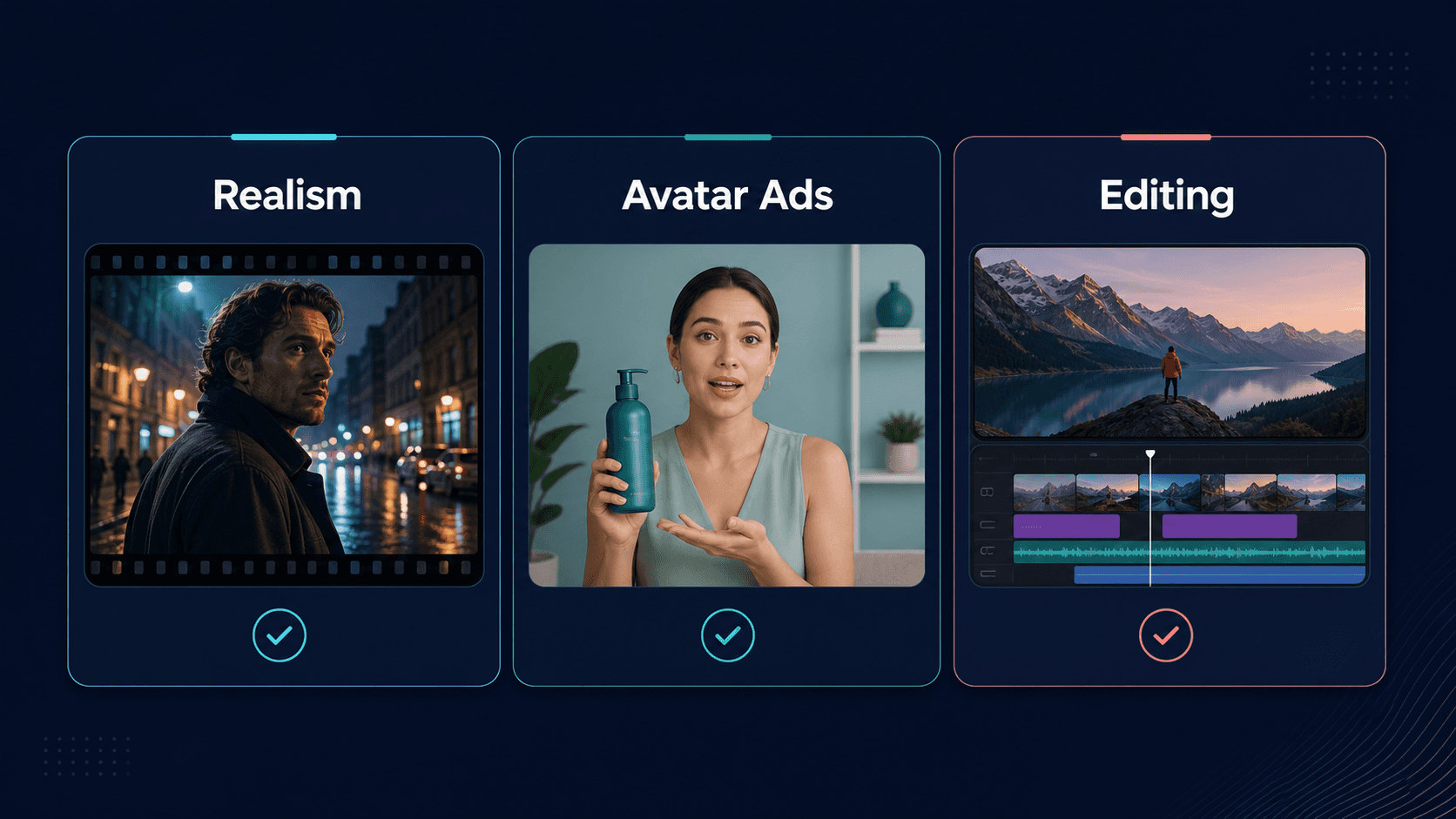
Where each tool actually wins: Higgsfield on realism, Jogg on avatar ads, InVideo on editing control.
If we are judging pure cinematic realism, Higgsfield has the strongest case.
It is built for creators who care about visual style, model selection, presets, start frames, and camera-like control. If your goal is an emotional close-up, a fashion-style clip, or a surreal visual effect, Higgsfield feels the most exciting.
If we are judging fast usable output, Jogg is the cleanest.
It is simple, quick, and focused on avatar/product video workflows. It may not be the deepest editor, but it is easy to recommend to marketers who need video without hiring actors, renting lights, or learning six tools just to make one ad.
If we are judging complete content workflow, InVideo wins.
It may take longer to generate, but it gives you more tools after the output appears. That matters more than people admit.
Raw generation quality gets you excited.
Editing control gets the video published.
And published is usually better than "beautiful draft number seventeen sitting in downloads."
Speed: Jogg Wins, InVideo Takes Its Time
In the reference test:
Jogg AI took 3 minutes and 23 seconds
Higgsfield AI took 3 minutes and 40 seconds
InVideo AI took 8 minutes and 35 seconds
That makes Jogg the speed winner.
But do not treat those exact timings as permanent. AI video tools depend on model load, queue, plan, resolution, duration, and whether every creator on the planet is suddenly generating cyberpunk rain scenes at the same time.
The practical lesson is simpler:
Jogg and Higgsfield are faster for one-off clips.
InVideo is slower but gives you a bigger editing workspace.
If you only need one clip, that is a downside.
If you need a finished social video, that extra time may be acceptable.
Pricing: Read the Credit Rules Before You Fall in Love
AI video pricing is not like paying for a normal SaaS app.
It is more like buying tokens at an arcade where each machine charges differently, some machines eat tokens faster, and the best-looking machine occasionally gives you a video with seven fingers.
So do not only compare monthly plan prices.
Compare:
how many credits you get
how many credits each useful generation costs
whether unused credits roll over
whether top-ups expire
whether exports have watermarks
whether edits cost credits
whether premium models cost more
whether your plan includes the model you actually want
For Jogg, the pricing page is clear that plans are credit-based and include limits around video length, avatar videos, custom avatars, processing speed, and watermark removal.
For InVideo, the pricing page explicitly says credits are used across creation and generative models, model and agent prices can change, unused credits do not roll over, and top-ups are available.
For Higgsfield, the public pricing page is dynamically rendered, but the platform is also credit-based. The important buying advice is the same: check how many usable generations your plan realistically gives you before you commit.
Tool | Pricing Model | Credits Roll Over? | Notable Caveat |
|---|---|---|---|
Higgsfield AI | Starter/Plus/Ultra, ~$19 to $99/month, billed annually | No | Premium models burn through credits fast |
Jogg AI | Free plan (3 credits) plus paid Starter/Creator/Team/Enterprise tiers, credit-based | Not stated on the pricing page | Sale and yearly billing toggles change the final price, verify at checkout |
InVideo AI | Credit-based across all paid plans, access to 200+ models | No | Unused credits don't carry forward, risky if you don't publish regularly |
Jogg and InVideo don't publish a single flat monthly number the way Higgsfield does; check each tool's live pricing page for the exact figure before you buy.
The cheapest plan is not the cheapest if it only buys you enough credits to learn that your prompt was bad.
Small tragedy. Common genre.
Which One Should You Choose?
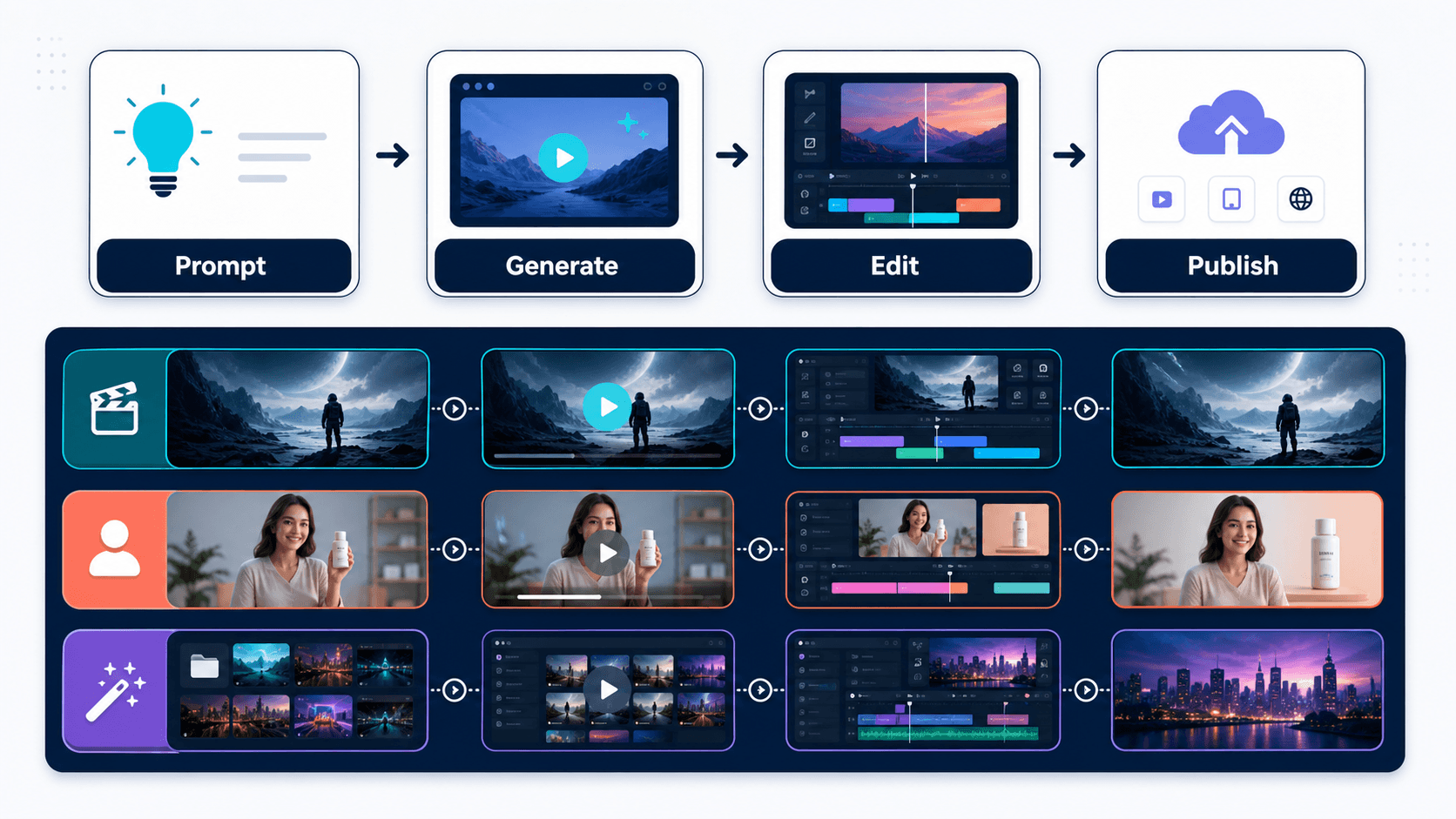
The full loop that matters when picking a tool: prompt, generate, edit, and publish.
Choose Higgsfield AI if you care most about cinematic visuals.
It is the strongest pick for:
AI filmmakers
fashion and beauty visuals
cinematic close-ups
stylized motion
character-focused clips
creators who want model variety and camera control
Do not pick it if you mainly want simple avatar ads or a complete edit-and-publish workspace.
Choose Jogg AI if you want fast videos for marketing.
It is the strongest pick for:
ecommerce product videos
talking avatars
founder-led ads without filming
quick social clips
product demos
creators who want simple workflows
Do not pick it if you need heavy post-generation editing.
Choose InVideo AI if you want the best all-around production workflow.
It is the strongest pick for:
social media videos
YouTube content
ad campaigns
stock-assisted videos
team workflows
scripts, subtitles, audio, and timeline editing
creators who want to revise after generation
Do not pick it if you only need occasional cinematic clips and hate waiting.
Final Verdict
So, which AI video generator is actually worth it?
For most creators: InVideo AI.
It gives you the best balance of generation, editing, sound, subtitles, stock assets, and workflow control. It is not always the fastest. It is not always the most cinematic. But it gives you the best chance of turning an AI output into a finished video.
For cinematic AI clips: Higgsfield AI.
If your content depends on visual realism, mood, faces, camera motion, and model choice, Higgsfield is the most exciting tool here. Just respect the credit system and expect to spend time tweaking.
For fast avatar and product videos: Jogg AI.
If you want simple, fast, polished marketing videos with avatars or products, Jogg is the least intimidating of the three. It is the one I would give to a marketer who wants results today, not a filmmaking philosophy seminar.
The annoying truth is that all three are good.
They are just good at different jobs.
Higgsfield makes the prettiest cinematic door.
Jogg gets you through the door quickly.
InVideo helps you rebuild the room after you enter.
And that is why InVideo is my overall pick.
Because in AI video, the first generation is not the finish line.
It is the first draft.
And first drafts, as we have all learned painfully, are where confidence goes to be humbled.
Frequently Asked Questions
Which is better: Higgsfield AI, Jogg AI, or InVideo AI? InVideo AI is the best overall pick for most creators because it combines AI generation with editing, subtitles, audio, stock assets, and workflow tools. Higgsfield is better for cinematic realism. Jogg is better for fast avatar and product videos.
Is Higgsfield AI worth it? Yes, if you want cinematic AI clips, strong realism, camera-style control, and model variety. It is less ideal if you want a simple edit-and-publish marketing workflow.
Is Jogg AI worth it? Yes, especially for marketers, ecommerce brands, and creators who want fast avatar or product videos. It is simple and practical, but not the deepest post-generation editor.
Is InVideo AI worth it? Yes, if you create videos regularly and need editing control after generation. It is the strongest all-around workflow tool in this comparison, but you should watch the credit rules carefully.
Which AI video generator is fastest? In the reference test, Jogg AI was fastest, followed closely by Higgsfield AI. InVideo AI took longer, but provided stronger editing control after generation.
Which AI video generator is best for product ads? Jogg AI is the simplest pick for product-avatar and ecommerce-style ads. InVideo AI is better if you need a fuller production workflow with editing, stock assets, subtitles, and audio.


