AI Tool Comparision
Kay Tried Multiple AI Coding Platforms, But Only These 3 Stood Out in 2026

If you buy through a link on this page, we may earn a commission, at no extra cost to you.
AI coding tools are having their main character moment.
Every product page now says some version of the same thing: "Describe your idea. Watch AI build the app. Ship faster than your competitors."
Very inspiring.
Also, very suspicious.
Because building software is not just typing code. It is deciding what should exist, understanding what broke, keeping the code readable, connecting the boring parts, handling deployment, and then discovering that your "simple login flow" has become a small legal department.
So I checked 10+ AI coding and development platforms against their real feature lists, pricing pages, and independent reviews, with one question in mind: which ones actually help you build something useful in 2026?
Not a fake demo.
Not a button that says "Hello world" and immediately asks for a seed round.
Something you can edit, understand, test, and maybe ship without needing a therapist afterward.
The list included Cursor, Lovable, Replit, Bolt, v0, GitHub Copilot, Claude Code, Windsurf, Tabnine, Firebase Studio, Qodo, and a few smaller AI coding assistants that mostly felt like ChatGPT wearing a hoodie.
Some were excellent for developers.
Some were excellent for non-coders.
Some were basically autocomplete with a billing page.
But three stood out clearly:
Cursor
Lovable
Replit
Not because they do the same thing. They do not.
They stood out because each one solves a different version of the AI coding problem better than most tools around it.
Cursor is the best if you already write code and want a serious AI coding environment.
Lovable is the best if you want to turn a product idea into a working web app quickly.
Replit is the best if you want a browser-based build-and-ship workspace where coding, AI, database, and deployment live together.
Let us get into it.
Quick Verdict
Tool | Best For | Why It Stood Out | Main Weakness |
|---|---|---|---|
Cursor | Serious AI-assisted coding inside an IDE | Strong codebase understanding, agent workflows, Tab completions, code review features, and developer-friendly control | Still expects you to know what good code looks like |
Lovable | Turning ideas into web apps fast | Chat-based app building, fast prototypes, simple iteration, templates, and one-click publishing | Complex apps can get messy if you do not guide it carefully |
Replit | Browser-based development and deployment | AI Agent, full-stack workspace, database, hosting, integrations, and collaboration in one place | Credits and product breadth can feel confusing at first |
My overall pick depends on who you are.
Use Cursor if you are a developer, technical founder, or agency building inside real codebases.
Use Lovable if you want a working MVP, internal tool, SaaS mockup, or landing page without starting from a blank editor.
Use Replit if you want to build, run, and deploy from one browser tab.
The wrong move is buying all three and pretending that makes you "AI-native."
That is not strategy. That is a subscription problem with good branding.
How I Judged the Tools
AI coding platforms are hard to compare because they are not all playing the same sport.
Some are IDEs. Some are no-code-ish app builders. Some are browser development environments. Some are code assistants. Some are design-to-code tools. And some are very confident chat boxes that become nervous the moment you ask them to connect authentication.
So I did not judge every tool on one generic checklist. That would be unfair. Instead, checking each tool's own site, its live pricing page, and independent reviews, I looked at five practical questions:
Can it get from idea to working result quickly?
Can it understand and edit an existing codebase?
Can it debug without making the problem worse?
Can it help with the boring parts, like database, auth, deployment, and code review?
Can a real person keep using the output after the first magical demo?
That last question is the big one.
AI coding tools are very good at producing the first 70 percent. The problem is that software punishes you in the last 30 percent.
That is where edge cases, environment variables, permissions, weird API responses, and "why is this button working on desktop but not mobile" come out of the walls.
So I cared less about how shiny the first output looked. I cared more about whether the tool helped me keep control.
1. Cursor: Best for Serious AI-Assisted Coding
Cursor is the one I would recommend first to people who actually code.
Not because it is the flashiest. Because it feels the most like a real development workflow upgraded with AI.
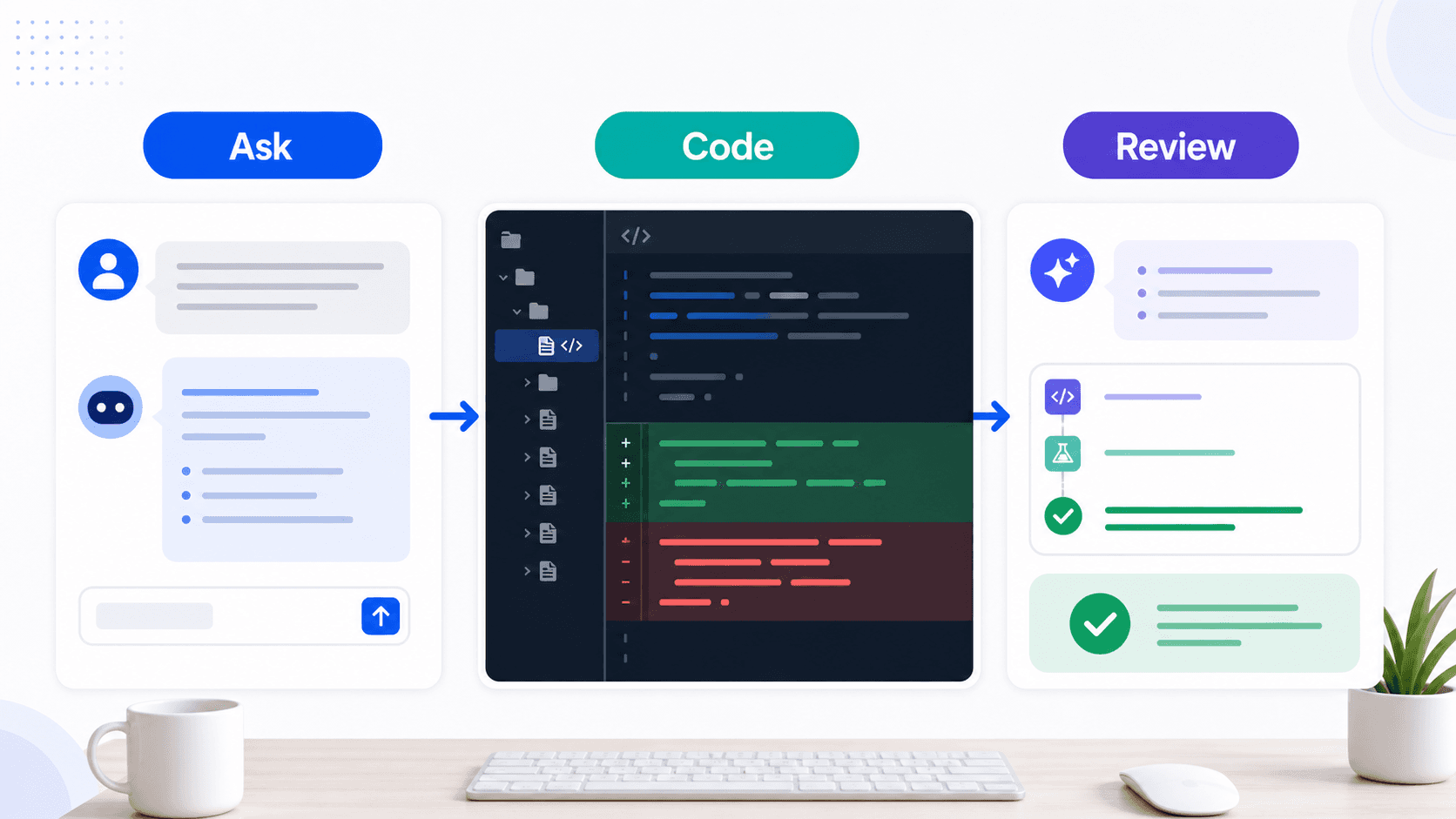
Cursor is built around the editor. You open a project, work in files, ask questions about the codebase, make inline changes, let agents handle bigger tasks, and review what changed before you trust it.
That sounds obvious. But in 2026, "obvious" is apparently a premium feature.
The biggest strength of Cursor is that it does not force you to abandon the way software is normally built. You still have files, branches, diffs, terminals, tests, docs, and project structure. Cursor just adds a layer of AI assistance on top.
That matters because serious coding is full of context. A small change in one file can break something three folders away. A model that only sees your prompt is guessing. A tool that understands the codebase has a fighting chance.
Cursor's official site positions it as a coding agent for building ambitious software. It includes agent workflows, codebase understanding, Tab-style completions, CLI support, cloud agents, automations, and review-related features. Its pricing page currently lists a free Hobby plan, Individual from $16/month on annual billing, Teams from $32/user/month on annual billing, and custom Enterprise pricing.
In normal English, that means Cursor is not just autocomplete anymore. It can help write. It can help edit. It can help reason across files. It can help review. And, if you give it a properly scoped task, it can do a surprising amount without needing a motivational speech every three minutes.
What stands out: Cursor is strongest when you already have a project. For example, if you have a React app with messy state management, a broken component, and a backend route that no one has touched since optimism was still in the room, Cursor is useful.
You can ask it to find where a form submission fails and suggest the smallest fix, add loading and error states to an API call without changing the data model, or explain a file like you are about to maintain it. That kind of instruction works well because Cursor can inspect the surrounding files and make changes in context.
The Tab completions are also genuinely useful. They are not just "complete the next line." They often predict the next edit you were about to make. That saves tiny chunks of time all day, which is usually more valuable than one giant AI party trick.
Cursor also keeps the developer in the loop. You see diffs. You can accept, reject, or modify. You can ask follow-up questions. You can run tests. This is the right level of magic. Enough to move faster. Not so much that you wake up with 19 new files and a folder called final_final_use_this_one.
The honest catch: Cursor is powerful, but it is not a replacement for judgement. If your prompt is vague, the output can be too broad. If your codebase has weak patterns, Cursor may follow those weak patterns very enthusiastically. If you ask it to "make this better," it may interpret that as permission to touch half the project.
Good Cursor usage looks like normal engineering discipline: small clear tasks, mentioning files or folders, asking it to explain the plan before editing, reviewing every diff, running tests, committing in small chunks. AI does not remove engineering practice. It punishes you faster when you skip it.
Cursor is best for software developers, technical founders, agencies building client projects, teams working in existing codebases, and freelancers who want faster implementation without losing control. It is not the best first choice for a complete beginner who wants to type "make me Airbnb for dogs" and get a business. For that person, Lovable or Replit will feel friendlier.
Rating: 9/10. Not perfect. But if you write code regularly, this is the one that feels least like a toy.
2. Lovable: Best for Turning Ideas Into Web Apps Fast

Lovable is for the moment when you have an app idea and do not want to spend three hours setting up a folder structure before anything exists.
Its pitch is simple: describe the app or website you want, chat with the AI, watch it create a working prototype, refine it, and publish. That pitch is not unique anymore. The difference is that Lovable makes the first version feel unusually approachable.
It is less "open an IDE and talk to the code." It is more "tell me what the product should do, and I will start assembling it." That makes it very attractive for founders, marketers, product managers, freelancers, and anyone who can describe a workflow but does not want to wrestle with build tooling.
Lovable's official site says you can create apps and websites by chatting with AI, starting with an idea, watching it become a working prototype, refining it with feedback, and deploying it with one click. Its pricing page explains that Lovable uses credits for building, hosting with Cloud, and AI features inside apps. The free plan includes a daily grant of build credits, while paid plans use a shared workspace credit balance.
That credit model is important. Lovable is not priced like a simple monthly editor. Usage matters. Bigger tasks cost more credits. Images, auth, page generation, and complex changes consume more. This is not necessarily bad. It just means you should treat prompts like product instructions, not random thoughts shouted into the void.
What stands out: Lovable is fast. If the task is a simple CRM, client portal, booking page, lead magnet, dashboard, or SaaS landing page, Lovable gets you to something visual quickly. For non-technical users, visual progress matters. When you can see the app, click through screens, and ask for changes in plain English, the project starts feeling real. That is a massive psychological advantage.
It is very good for prototypes and early MVPs, and for internal tools, where the goal is not to build the next Stripe. The goal is to stop using a cursed spreadsheet that everyone secretly hates. Lovable also lowers the intimidation barrier: a founder can test an idea without hiring a developer on day one, a marketer can create a campaign tool, a product person can turn a rough spec into something clickable.
The honest catch: Lovable's weakness appears when your app becomes more complex. Simple pages are easy. Simple workflows are fine. But once you have permissions, complex data relationships, payments, edge cases, background jobs, analytics, and security concerns, you need to slow down.
Lovable can help build, but it cannot replace product architecture. If you keep asking for features without cleaning the structure, the app can become hard to reason about. This is not only a Lovable problem, it happens with almost every prompt-to-app builder. The first version feels magical. The tenth feature request starts sending invoices to your future self.
The sensible approach is to use Lovable in phases: build the prototype, validate the workflow, clean up the logic, then get a developer to review anything involving money, user data, or sensitive access. "The AI said it works" is not a security review. It is a sentence that makes future problems stretch their legs.
Lovable is best for non-technical founders, product managers, marketers, freelancers, creators building simple tools, and teams prototyping internal apps. It is not the first pick for a large engineering team maintaining an existing codebase, that is Cursor territory. But if your bottleneck is getting from idea to clickable app, Lovable is excellent.
Rating: 8.8/10. Fast, friendly, and genuinely useful. Just do not confuse a working prototype with a finished production system. Software loves that mistake. It feeds on it.
3. Replit: Best Browser-Based Build-and-Ship Platform
Replit has evolved into something bigger than an online code editor. In 2026, it is closer to a full browser-based software workshop.
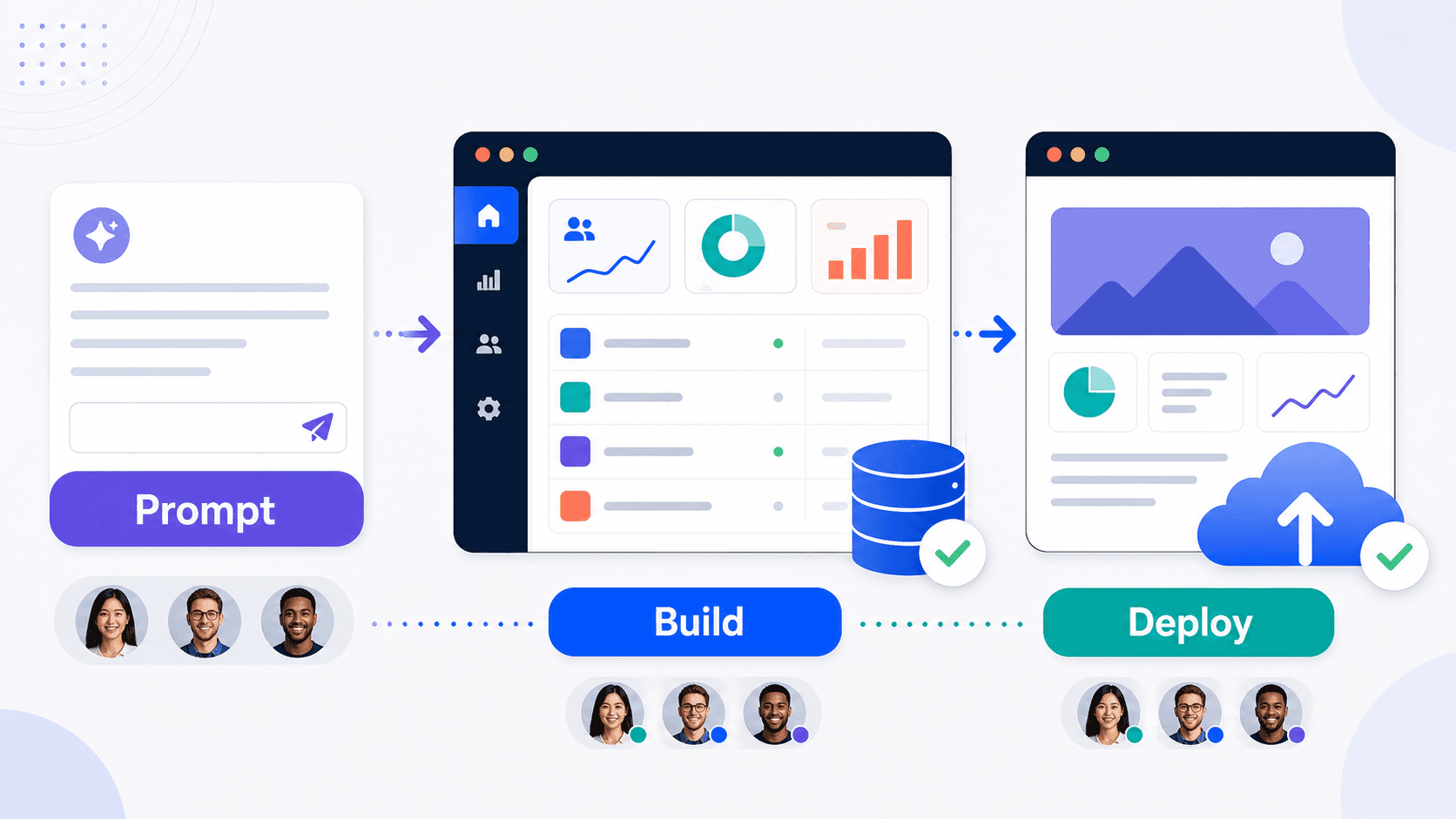
You can prompt an agent, edit code, run the app, use a database, add integrations, collaborate, and publish without leaving the browser. That is the appeal. For many people, the most annoying part of coding is not the code. It is setup. Installing packages. Configuring environments. Fixing local machine problems. Deploying. Explaining to someone why "it works on my machine" is not a product strategy.
Replit removes a lot of that friction. Its official site says users can turn ideas into apps in minutes, with Agent, Design, Database, Publish, Integrations, and Mobile as part of the product menu. It also highlights built-in services like authentication, database, hosting, monitoring, and integrations. The pricing page currently lists a free Starter plan, Replit Core at $20/month billed annually, Replit Pro at $95/month billed annually, and Enterprise custom pricing.
That makes Replit especially interesting for people who want an all-in-one environment. Not just "help me write code." "Help me build and run the thing."
What stands out: Replit is the most complete environment of the three. Cursor is the strongest for professional coding. Lovable is the fastest for idea-to-app. Replit sits somewhere in the middle and adds the browser workspace advantage.
If you are building a small app, internal tool, automation, student project, landing page, or prototype, Replit gives you a lot in one place: asking the agent to start the project, inspecting and editing files, running the app, adding a database, publishing it, inviting collaborators, and continuing from another machine.
That last part is underrated. There is something freeing about not being tied to a local setup. Open browser. Continue project. Ship change. Close laptop. For beginners, this reduces friction. For teams, it makes collaboration easier. For founders, it means fewer excuses before testing the idea.
The honest catch: Replit does a lot, and that is both the strength and the weakness. Because it includes agent workflows, workspaces, database, hosting, integrations, deployment, collaboration, credits, and multiple plans, the product can feel broader than the task you came in for.
If you are a developer with a mature setup, you may not want your entire workflow inside Replit, you may prefer Cursor plus GitHub plus your own deployment setup. If you are a non-coder who wants the simplest possible prompt-to-app flow, Lovable may feel smoother. Replit is best when you actually want the whole environment.
Replit is best for beginners learning by building, founders creating quick functional prototypes, small teams building internal tools, students and educators, operators who want to ship simple apps without local setup, and developers who like cloud workspaces.
Rating: 8.6/10. It is not the cleanest choice for every workflow. But when the browser-based environment fits, it fits beautifully.
The Workflow That Actually Makes Sense
The best way to choose an AI coding platform is not to ask, "Which one is best?" That question is too vague.
Ask this instead: "Where do I get stuck?"
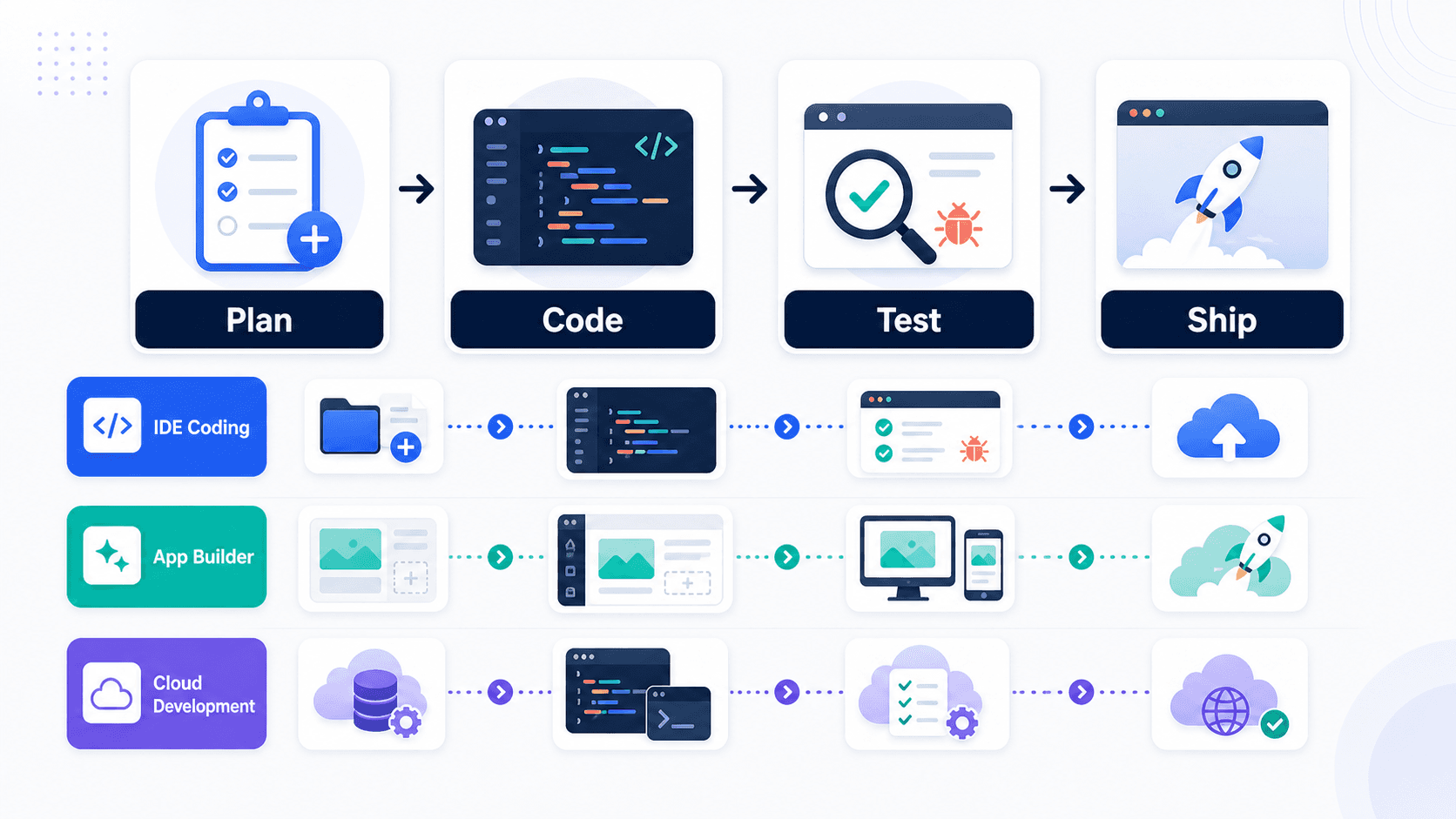
If you get stuck writing or editing real code, choose Cursor. If you get stuck turning an idea into something visual and clickable, choose Lovable. If you get stuck setting up, running, and deploying the app, choose Replit.
That sounds simple, but it prevents a lot of wasted money. Most people do not need five AI coding tools. They need one tool that solves their actual bottleneck. Here is the decision tree worth using:
Your Situation | Best Pick | Why |
|---|---|---|
You already code and have existing projects | Cursor | Best balance of AI help and developer control |
You want an MVP or prototype from a prompt | Lovable | Fastest path from idea to working app |
You want to build and deploy in the browser | Replit | Best all-in-one workspace for running and shipping |
You want polished UI components for Vercel projects | v0 | Great for UI generation, especially in the Vercel ecosystem |
You want a general assistant across GitHub and IDEs | GitHub Copilot | Very widely integrated and useful, but less focused than Cursor for this workflow |
You want browser app generation with strong design-system support | Bolt | Strong contender, but it did not beat Lovable or Replit for these top three use cases |
The uncomfortable truth is that AI coding tools make beginners feel powerful very quickly. That is good. But they can also hide complexity until later. That is less good. A generated app can look done before it is actually safe, maintainable, or ready for real users.
This is why it helps to separate "prototype" from "production." Prototype means: can people click it, does the core flow make sense, can you show it to users, can you test the idea. Production means: is the data model stable, are permissions correct, is user data protected, can the app recover from errors, are logs, backups, and monitoring handled, does someone understand the code well enough to fix it.
AI can help with both. But it does not magically erase the difference. Sadly, software remains software. Very rude of it.
Why the Other Tools Did Not Make the Top 3
Several tools came close but did not make the final list.
GitHub Copilot is still one of the strongest general coding assistants. It works across GitHub, IDEs, CLI, and agent workflows. Its pricing page currently lists a free plan, Pro at $10/month, Pro+ at $39/month, Max at $100/month, Business at $19/user/month, and Enterprise at $39/user/month. If your team already lives in GitHub, Copilot is a very sensible choice.
So why was it not in the top three? Because this list was looking at platforms that stood out by workflow. Cursor felt sharper for serious AI-first IDE work. Lovable felt better for prompt-to-app building. Replit felt broader for browser-based shipping. Copilot is excellent, it just did not own one of these three categories as clearly.
v0 is great for UI generation and Vercel-style shipping. The official site says you can prompt, build, publish, sync with a repo, and deploy to Vercel. If your work is heavily frontend and Vercel-oriented, v0 deserves attention.
Bolt is also a strong AI app builder. Its site talks about creating apps and websites by chatting with AI, importing from Figma or GitHub, using design systems, and built-in backend infrastructure. It came close, especially for product and design-heavy workflows, but Lovable felt easier for the "I have an idea, make me an app" crowd, while Replit felt stronger as the complete build-and-ship environment.
Claude Code, Codex-style agents, Windsurf, Tabnine, Firebase Studio, Qodo, and similar tools all have interesting strengths. Some are better for agents. Some are better for code review. Some are better for enterprise. Some are better for autocomplete.
But most users should not start with a drawer full of AI coding tools. Start with the bottleneck. Then pick the tool. Revolutionary idea, I know.
My Final Ranking
Rank | Tool | Best For | Rating |
|---|---|---|---|
1 | Cursor | Developers and technical teams working in real codebases | 9/10 |
2 | Lovable | Fast MVPs, prototypes, internal tools, and non-technical builders | 8.8/10 |
3 | Replit | Browser-based building, collaboration, and deployment | 8.6/10 |
If I could only keep one for professional coding, I would keep Cursor. If I were a non-technical founder trying to test an idea this weekend, I would start with Lovable. If I wanted to build and deploy small apps without touching local setup, I would choose Replit.
That is the real answer. There is no single best AI coding platform for everyone. There is a best platform for your current job. And that is usually the less glamorous, more useful answer.
AI coding tools in 2026 are not replacing builders. They are changing the shape of building. They make the first draft faster. They make debugging less lonely. They make prototypes cheaper. They make small teams look bigger.
But they also make bad decisions faster.
So use them with ambition. Use them with supervision. And please, for the love of every future maintainer, read the diff before you ship.
FAQ
What is the best AI coding platform in 2026? Cursor is the top pick for developers and technical teams. Lovable is the best for fast web app prototypes. Replit is the best browser-based platform for building, running, and deploying apps in one place.
Can non-coders use AI coding platforms? Yes. Lovable and Replit are the friendliest options for non-coders because they let you describe what you want and build visually. But if the app handles payments, customer data, authentication, or permissions, get a developer to review it before production.
Is Cursor better than GitHub Copilot? Cursor feels stronger as an AI-first coding environment because the editor, codebase context, agents, and review flow are tightly connected. GitHub Copilot is still excellent, especially if your team already works deeply inside GitHub.
Is Lovable good for production apps? Lovable can help create real apps, but it is strongest for prototypes, MVPs, internal tools, and early product validation. For production systems with sensitive data or complex logic, review the architecture, security, and code quality carefully.
Is Replit only for beginners? No. Replit is beginner-friendly, but it is also useful for founders, teams, and builders who want a cloud workspace with AI, database, hosting, and deployment in one place.
Should I use more than one AI coding tool? Only if your workflow genuinely needs it. A developer might use Cursor for daily coding and Lovable for quick product mockups. But most people should start with one tool that solves their main bottleneck.